
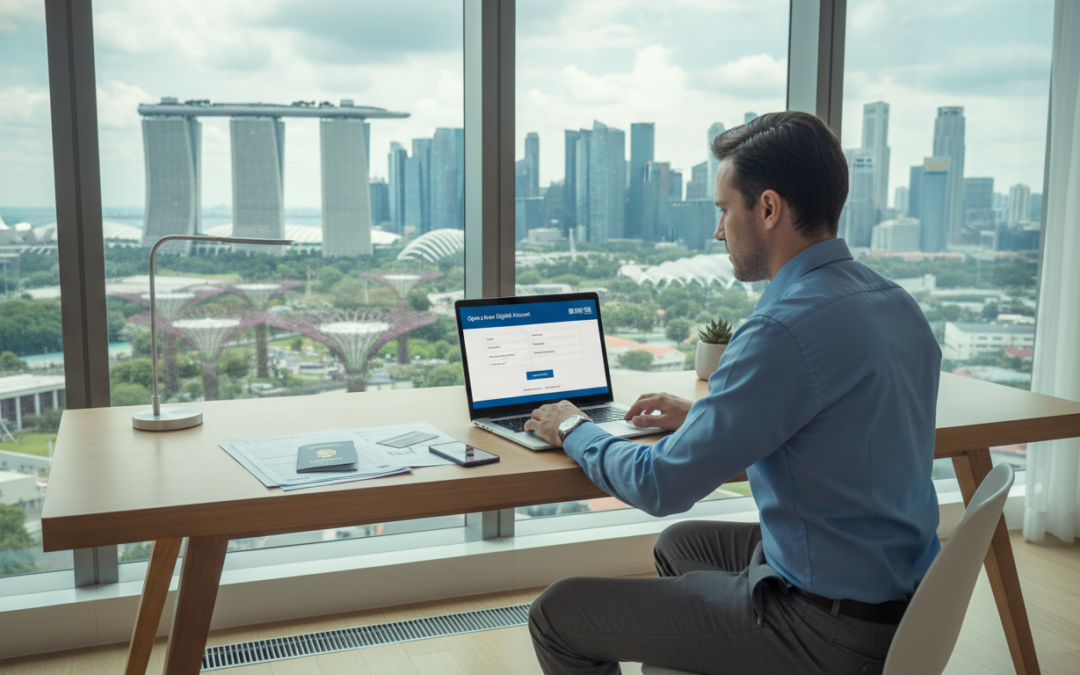
When Mia moved for work, she thought setting up finances would be a chore. She downloaded an app, scanned her ID and watched updates from the courier. In three days, her card arrived and she began local transfers.
This short guide explains the digital routes that make remote opening possible today. Major names like DBS and OCBC offer mobile onboarding for eligible foreigners, while alternatives such as Wise can give SGD details for non‑residents, subject to checks.
We define who this is for — students, new hires, frequent visitors and professionals relocating — and outline what “remote” typically covers: application, verification, approval and card delivery where available.
Expect varied timeframes: some cases are near‑instant with Singpass/MyInfo, others need a few working days for document review. Read on to learn which route fits your needs and how to reduce delays.
Key Takeaways
- Digital onboarding now lets many complete the whole process remotely.
- DBS Digibank and OCBC Digital are primary pathways; Wise is a practical fallback.
- Eligibility and supported nationalities vary — confirm in the app first.
- Timeframes range from near‑instant to several working days.
- By the end, you will know what to prepare and which route suits your situation.
Why open a Singapore bank account remotely from abroad
Preparing banking before you travel removes friction on arrival. A local account helps you receive salary, pay rent and handle everyday payments from day one.
Everyday benefits for work, study and frequent travel
Many people choose to open bank account singapore while still overseas to simplify salary crediting and utility bills.
- Receive salary and allowances directly in SGD, avoiding exchange delays.
- Pay rent, top up transport cards and make local transfers for routine money needs.
- Students can settle tuition, accept family transfers and use a local debit card for campus spending.
- Frequent travellers benefit from easier local payments, smoother hotel deposits and lower card fees.
What “without visiting a branch” typically means today
Includes: applying in a mobile app, digital ID checks, uploading documents and card delivery by post where offered.
| Typical digital steps | When a visit may be needed | Practical tip |
|---|---|---|
| App application and e‑ID verification | Verification fails or documents are unclear | Check eligibility in the app before you start |
| Upload passport and pass details | Residency or pass status is unresolved | Have scanned copies ready |
| Card posted to your address | Some profiles require in‑person checks | Allow a few working days for processing |
Note: Not all traditional providers will accept all foreigners for remote onboarding. Using services that support MyInfo or biometric e‑passport checks reduces form filling and speeds approval.
Who can apply and what eligibility rules to check before you start
Before you tap the online form, confirm that your profile matches a bank’s digital route. A quick pre‑check saves time and avoids rejected applications.
Eligibility pre‑check:
- Age 18 or older.
- Intention to reside or study in Singapore and hold (or soon receive) a recognised pass.
- Valid e‑passport from a supported jurisdiction when required.
Valid pass or IPA pathway
Many banks let a foreigner apply if they hold an Employment Pass, S Pass, Student Pass or another authorised MOM/ICA pass.
Some providers accept an In‑Principle Approval (IPA) as interim evidence before the physical pass arrives. Check each provider’s specific requirements in their app.
International student considerations
Students can often start the process before arrival if they have school offer letters and an IPA. If a Student Pass is pending, present the college’s confirmation and keep tracking documents handy.
Country and identity limits
Remote routes sometimes limit applicants to selected e‑passport countries. These rules exist due to anti‑money laundering checks and digital ID validation needs.
Tip: Select the correct profile (student, professional or arriving soon) in the app. If you do not meet the digital criteria, in‑person options or alternative providers are available later in this guide.
Documents required for account opening as a foreigner
Gathering the right paperwork in advance makes digital onboarding far quicker and less stressful. Below is a compact list of required documents and practical tips to reduce verification delays.
Proof of identity
Passport biodata page is the standard form of identity most banks request. National ID is only accepted in specific cases (for example, Malaysian IC where noted).
Valid Singapore pass
Prepare one of these: Employment Pass, S Pass, Student Pass or an In‑Principle Approval (IPA) if the bank accepts it while you await the physical pass. Have the pass details and the IPA letter ready to upload.
Proof of residential address
Accepted examples include a recent utility bill, an employment letter showing local residence, or a stamp duty certificate. Common pitfalls are old dates, name mismatches and poor scans that hide edges or text.
- Utility bill (recent)
- Employment letter confirming local residence
- Stamp duty or tenancy document
Proof of tax residency
Banks request tax residency to meet reporting and compliance obligations. Provide a recent tax statement or an official certificate from your home jurisdiction to avoid follow‑up queries.
Reference letters, scanning tips and funding
Some higher‑risk profiles may need a reference or introduction letter from an existing financial institution or recognised introducer.
- Scan tips: clear colour photos, full document edges, no glare and readable text.
- Ensure names and dates match across all documents to prevent delays.
- Be ready to transfer a small initial deposit if a product requires it after approval.
Set up Singpass and MyInfo to speed up your online application
A pre-filled MyInfo profile transforms lengthy online forms into a few taps. It lets verified personal data populate fields so you type less and avoid common errors.
Why it matters: DBS notes that completing personal info on Singpass allows the bank to pull details from MyInfo to prefill forms. That shortens the application and cuts back-and-forth checks.
How MyInfo works in practice
MyInfo will fill identity fields, address and other key particulars. This reduces manual entry across multiple forms and speeds the process for many services.
When a new profile is ready
After registering Singpass, a new MyInfo profile is typically usable the next day for DBS digibank new account applications. That gives you a fast path to complete the application.
“Complete Singpass → add personal info → wait for MyInfo readiness → start the bank app application.”
| Step | Action | Benefit |
|---|---|---|
| Register Singpass | Verify identity | Enables MyInfo |
| Populate MyInfo | Confirm passport and details | Prefill forms |
| Begin app | Start the account online form | Faster approval |
- Do ensure Singpass matches your passport to avoid delays.
- Avoid multiple incomplete applications across banks at once.
- If you cannot use Singpass/MyInfo, expect longer manual review.
How to open singapore bank account without visiting using DBS digibank
Begin the process in the Digibank app and follow the guided prompts for verification and uploads.
Download DBS Digibank → choose New Account → pick the correct applicant profile (foreigner, student or working). The app walks you through ID capture, pass uploads and proof of address submission.
Applying in‑app: MyInfo versus manual verification
With MyInfo: MyInfo pre‑fills fields and can deliver near‑instant approval.
Without MyInfo: Expect manual checks and a typical 3–5 working day review for many nationalities.
Eligibility for foreigners without an Employment Pass
DBS accepts other valid passes such as Student Passes and approved MOM/ICA passes. An IPA may be used while you await the physical pass.
Typical evidence requested and what approval means
- Identity page of passport.
- Singapore pass or IPA.
- Proof of address and tax residency details.
Approval unlocks in‑app account details and basic transactions. You can fund the account subject to initial limits.
| Step | What to upload | Timing |
|---|---|---|
| Apply in app | Passport biodata, pass/IPA | Immediate start |
| Verification | Proof of address, tax residency | Instant with MyInfo; 3–5 days otherwise |
| Card issuance | Automatic DBS Visa Debit | Posted 3–5 working days after approval |
Practical tips: use a reliable mailing address, ensure name matches on proof, and enable notifications so you do not miss requests. Verify current card benefits — cashback and no‑FX fee claims should be checked in DBS terms.
Open an account remotely with OCBC Digital app before you arrive
Applicants who hold a supported biometric e‑passport can complete OCBC’s remote onboarding from abroad.
When this route fits: choose OCBC Digital if you want to set up a local bank account before arrival and you hold an eligible e‑passport.
Eligibility: you must be at least 18 and hold an e‑passport from Hong Kong, Malaysia, Indonesia or mainland China.
How the app process works
- Download the OCBC Digital app and tap “Sign up”.
- Choose the “Foreigner with e‑passport” path and follow prompts.
- Complete biometric checks and submit your ID card images.
- Submit and await confirmation; the app notifies you of next steps.
Remote identity verification
Verification uses the passport chip scan, a live selfie and a clear photo of your ID card.
Capture clean images, follow on‑screen guidance and confirm data matches to avoid delays.
Which accounts to consider
- Global Savings Account: multi‑currency convenience — transact in up to nine major currencies with no admin fees.
- Statement Savings Account: simple savings with monthly e‑statements for easy tracking.
Immediate in‑app actions: view balances and transactions, make payments, transfer funds and exchange foreign currency.
Decision prompt: prioritise the Global Savings option if you handle multiple currencies frequently. Choose the statement‑based savings account if you prefer tidy records and budgeting.
Compliance note: OCBC may request further verification depending on risk and document clarity. For full details see the OCBC Digital app details.
Compare alternative routes and costs if a traditional bank won’t onboard you online
If a mainstream provider rejects your online application, alternative digital services can bridge the gap quickly.
Why consider an alternative? Some banks limit remote onboarding by nationality, pass type or verification method. That can force a branch visit or delay account access. Using a fintech or non-bank service often avoids that hurdle.
Wise as a practical non-bank option
Wise lets you open an account online (subject to eligibility) and gives SGD account details for local receipts. You can hold 40+ currencies and convert at the mid‑market rate.
Key features: no minimum balance, no monthly fee, and a small one‑time deposit (about the equivalent of £20) to activate SGD details. Transfer fees start from around 0.43% and vary by currency and route.
“If you need SGD details fast and multi‑currency handling, Wise is a pragmatic, low‑cost choice.”
Costs to watch: minimum balance and transfer pricing
Some major providers apply fall‑below charges. For example, certain savings products may charge S$5 if your daily average is under S$3,000. Inward remittances can cost S$10, while outward transfers might carry 1/8% plus cable or agent fees.
| Cost type | Typical range | Impact |
|---|---|---|
| Fall‑below / minimum balance | From S$5 per month | Raises holding costs on small deposits |
| Inward remittance | Approx S$10 flat | Reduces net salary or gifts received |
| Outward remittance | ~0.125% (min/max) + cable | Can make frequent transfers expensive |
- Estimate your monthly average balance and likely deposit size.
- Count international transfers per month and typical amounts.
- Decide if multi‑currency holding matters more than branch access.
- Check eligibility and address requirements before you start; consider a virtual office or local service if needed: registered address options.
Conclusion
Decide which digital route suits your profile before you start the paperwork.
Quick recap: confirm eligibility, prepare passport, pass/IPA and proof of address, set up Singpass/MyInfo where possible, then submit one complete application to reduce delays.
Best fits: DBS Digibank is ideal if you want an app‑led process with MyInfo speed and postal debit card delivery (usually 3–5 working days). OCBC Digital suits pre‑arrival applicants who hold an eligible e‑passport. Wise is a practical fallback for SGD details and multi‑currency needs when a traditional route is restricted.
Cost note: check fall‑below fees, minimum balances and remittance charges — these can outweigh product perks.
Start today: pick your route, compile identity, address and tax residency proof, ensure names match, and confirm the latest in‑app requirements. For a full procedural guide see how to open a singapore bank account for.
FAQ
How can I set up a Singapore bank account remotely from abroad?
Why should I consider a remote application for a Singapore account?
What does “without visiting a branch” typically mean in Singapore today?
Who is eligible to apply remotely as a foreigner?
Can international students apply with a Student Pass?
Which countries or identity documents might be restricted for remote onboarding?
What identity documents do I need to provide?
Do I need to present a Singapore pass like an Employment Pass or Student Pass?
What proof of residential address is acceptable?
Why do banks ask for tax residency information?
When is a reference or introduction letter necessary?
How does MyInfo speed up applications?
When will a newly created Singpass/MyInfo profile be ready to use?
Can I use DBS digibank to apply before arrival?
What happens after approval with DBS regarding debit card delivery?
Can I open an account remotely using OCBC’s digital app?
Which e-passports are supported for OCBC remote verification?
What banking functions are available immediately after remote account opening?
What if a traditional bank refuses to onboard me online?
How do minimum balance and fall-below fees differ between banks?
How do international transfer fees affect which option is best?

Dean Cheong, CEO of VOffice, is a Singapore-based specialist in scaling B2B businesses. His work centers on optimizing sales operations, launching effective go-to-market strategies, and leveraging CRM tools to drive consistent revenue expansion. With a foundation in business banking and finance from Nanyang Technological University, Dean brings both strategic insight and real-world execution to every engagement.